Why CRM matters for termite and WDO work
When I started tracking every lead on a spreadsheet, I lost more than time — I lost appointments and relationships. If you search "best termite inspection software" you'll see a growing set of tools that bundle CRM, scheduling and billing for WDO work. In the field, a CRM isn't just contact storage: it's the place I manage agent relationships, document repair approvals, follow recurring treatments, and get paid without chasing checks.
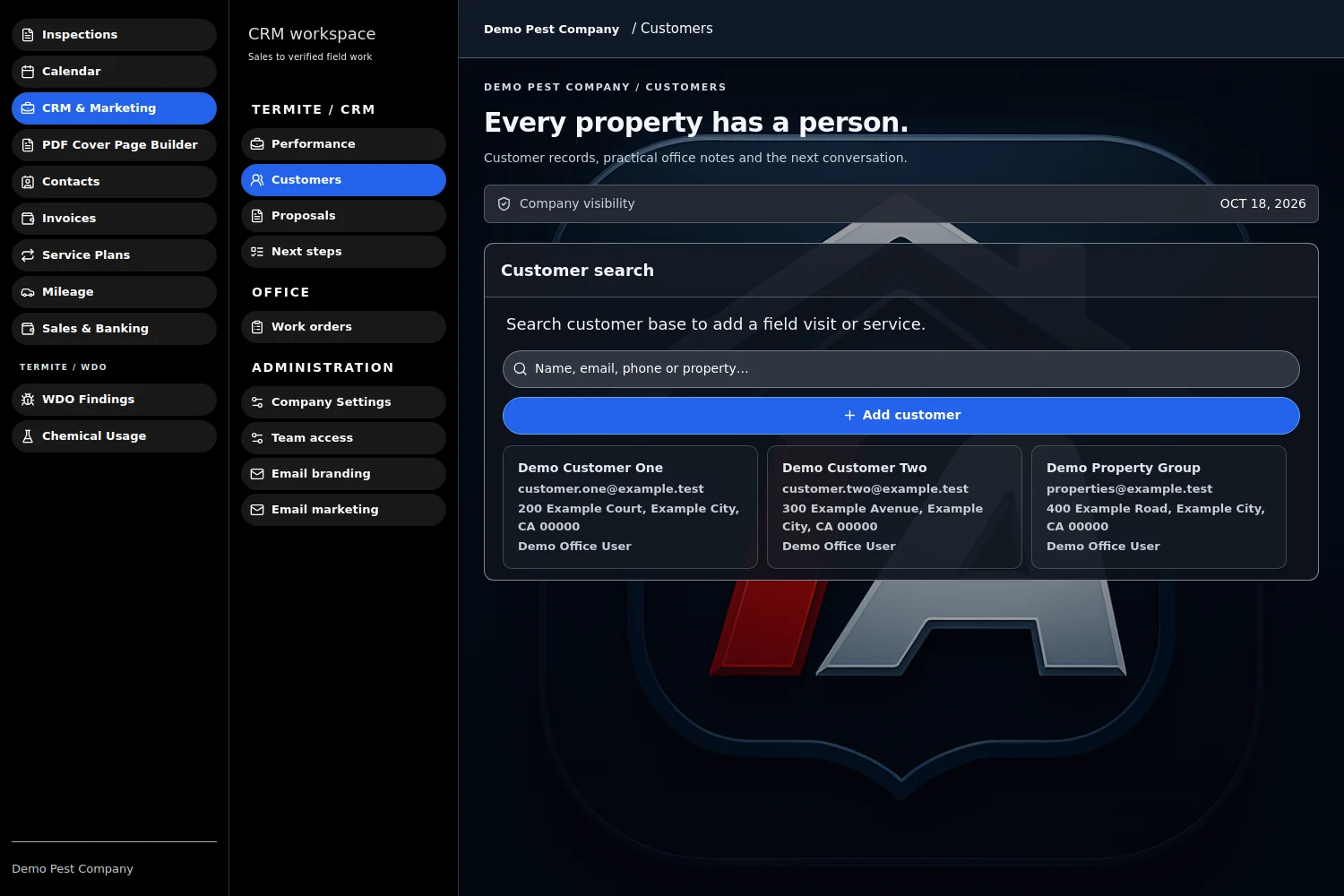
best termite inspection software: CRM features to compare
If you're shopping, don't get distracted by badges. Compare CRM workflows with these practical questions I use when evaluating tools:
- Can the CRM store separate profiles for buyers, sellers, listing agents and buyer's agents with role tags?
- Does it support work authorizations and e-signature for termite repairs and treatment consents?
- Is scheduling two-way (calendar sync) and does it let me assign inspections to technicians with SMS confirmations?
- Does the CRM integrate invoicing and online payments, including recurring service-plan billing for treatments?
- Can I run lists and saved filters (expiring warranties, recurring-service due dates, agent follow-ups)?
- Does the mobile app work offline so crews in remote areas can still capture data and sync later?
Practical CRM strategies I use in the field
1) Build agent-centric records, not just client files
I create a profile for every agent I work with. In each agent record I store listing history, preferred booking windows, and the agent's referral notes. When an agent calls, I can see all open warranties and recent reports and reply without flipping through emails. That small step reduces friction and makes agents feel like I run a professional operation.
2) Use pipeline stages tailored to WDO work
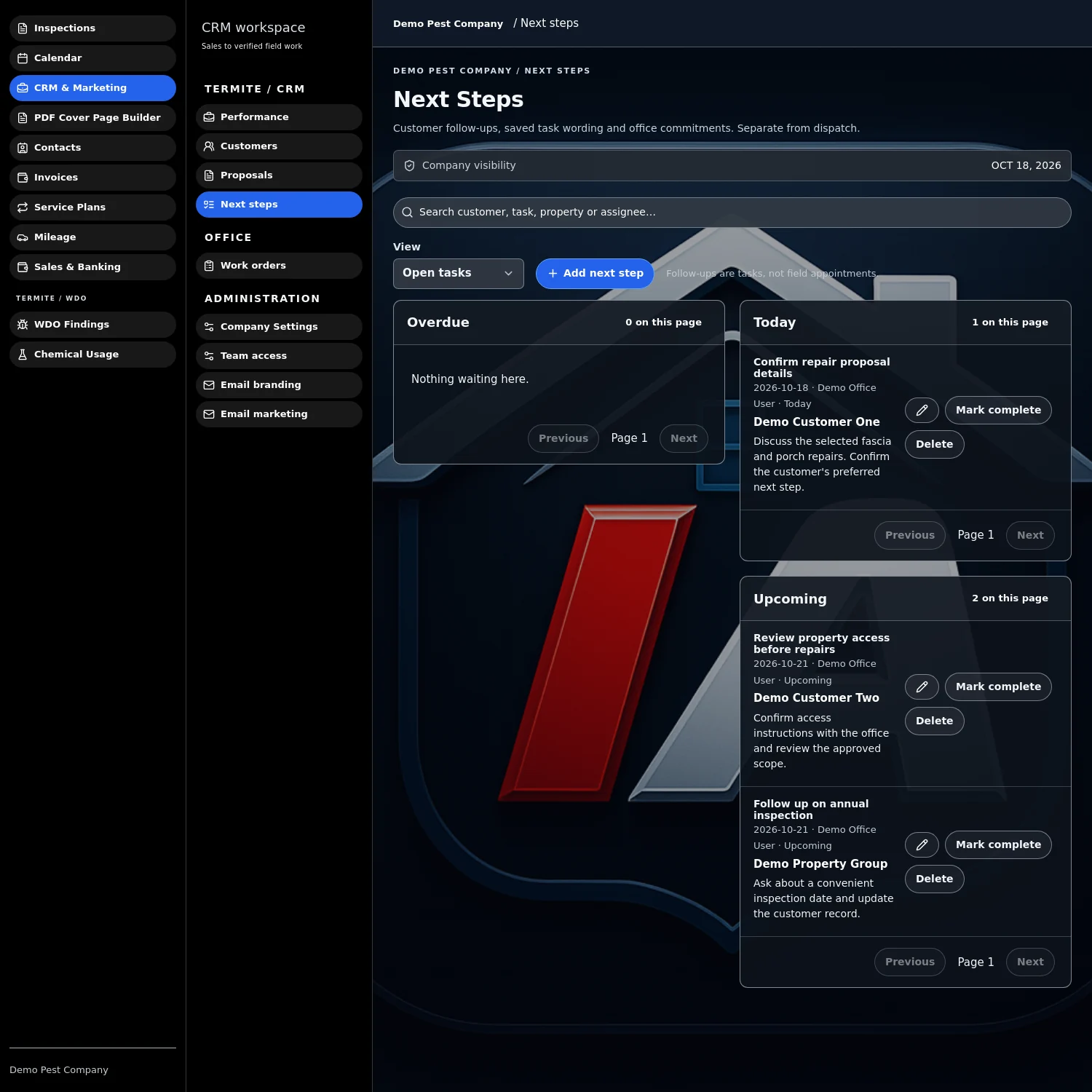
My pipeline looks different than a general home-inspection funnel: Lead → Scheduled → Inspection Complete → Findings Shared → Repair Authorization Sent → Payment Pending → Closed. I bump tasks and automated reminders at each stage: send the treatment estimate at "Findings Shared", trigger an e-sign at "Repair Authorization Sent", and schedule follow-up treatment reminders after "Closed."
3) Template the agent-facing communications
I keep short, templated messages for common situations: urgent active-infestation notes for sellers, a one-paragraph summary for agents to include in MLS disclosures, and a repair estimate cover note that walks the agent through next steps. Templates save time and keep legal language consistent.
4) Turn work authorizations into a revenue and compliance tool
Collecting signed work authorizations in the CRM reduces no-decide delays. I attach the signed authorization to the job record and to the agent profile so everybody knows who approved what, when. If the CRM supports e-signature on mobile, I get authorizations on-site and dispatch crews the same day.
5) Automate recurring service-plan billing
Termite and WDO work often has recurring treatment plans. Use the CRM to schedule recurring invoices and autopay where possible. I set renewal reminders 30 days before expiration and let the CRM generate invoices automatically. That eliminated a lot of manual chasing and stabilized monthly cash flow.
Field examples: actual workflows that save time
- Same-day repair approvals: After an inspection I email the repair estimate from the CRM. The agent opens it, signs the work authorization on their phone, and I receive a notification. I dispatch a crew for the afternoon slot — no follow-up calls.
- Agent nurture sequence: New agent contact enters CRM via a web form after I inspect a listing. The CRM triggers a 3-email drip: introduction, what to expect when ordering WDO inspections, and referral incentives. That sequence turns one-off agents into repeat referrers.
- Recurring treatment management: For quarterly bait checks I store a plan on the customer record with automatic billing and scheduled appointments. When a technician completes a service, they check in and upload treatment photos; the CRM marks the event done and queues the next one.
Setting up automations and guardrails
Automations are powerful but dangerous if you don't test them. I recommend:
- Start small: automate one email and one invoice sequence first.
- Use tags and filters to segment agents vs. homeowners; different messaging is essential.
- Create an internal "quality check" stage before any invoice auto-sends for jobs over a threshold price.
- Log every automated message so you can audit what went out and when.
Measuring what matters
Track these KPIs weekly for your CRM to be more than a rolodex:
- Average time from inspection to signed work authorization
- Agent repeat rate (percentage of agents who order again in 12 months)
- Percentage of recurring plans on autopay
- Days sales outstanding (how long invoices stay unpaid)
Why I mention Inspection Authority
I name tools in my posts because I want readers to see practical matches for the workflows I describe. Inspection Authority is an example of a product built by an inspector that offers a Termite/WDO module with CRM, offline-first mobile apps, AI-assisted PDF reports, e-sign work authorizations, recurring billing, and automatic GPS mileage tracking. For busy WDO pros those features can remove friction — for example, e-signatures and recurring billing directly support the strategies above. Their Termite/WDO module pricing is listed at $66.58/mo or $799/yr and they offer a 10-day free trial with no credit card required.
Closing, and a quick start checklist
If you want to get a CRM working for you this month, start with a short checklist I use:
- Create agent and homeowner templates (email + SMS).
- Set up a pipeline with the 7 stages I listed and map one automation to each of two stages.
- Enable e-sign for authorizations and test on your phone.
- Put recurring treatment plans on a trial autopay process (low-value first).
- Review KPI dashboard weekly for four weeks and adjust automations.
Run these steps from the van between jobs and you’ll turn reactive days into a predictable, agent-friendly operation.
Frequently asked questions
What makes a CRM different for termite/WDO vs general inspections?
The WDO CRM needs repair authorizations, recurring treatment billing, role-based contact records (agents, owners, tenants), and compliance storage for warranties — features you won't always need for single home inspections.
Can a CRM reduce time between inspection and payment?
Yes. By sending estimates, collecting e-signatures, and issuing invoices with online payment links automatically, a CRM shortens the approval-to-payment cycle significantly.
How do I choose the right CRM without wasting time?
List your top 3 must-haves (e-sign, recurring billing, offline mobile), test them with a 10-day trial, run a real job through the system, and measure impact on the KPIs above.
See it in the field, not a sales deck
Inspection Authority was built by a Certified Master Inspector who still inspects every week. Home inspections, termite/WDO reports, recurring pest-control billing, and true offline mode — in one app.